
Svejar Yoga Sequencing App
Your home for modern yoga.
The first yoga sequencing app to combine hand-drawn yoga art with professional sequencing tools.



The Art of Yoga
Asana View
Yoga Library
Create Sequences
Asana of the Month
Sequence of the Week
Daily Yoga Practice



Create.Practice.Learn.Share.
SVEJAR combines a love for yoga and drawing – where you create, explore and share illustrated sequences. Built around over 1100 hand-drawn asana illustrations, it is a library for knowledge and a tool for sequencing and practice.
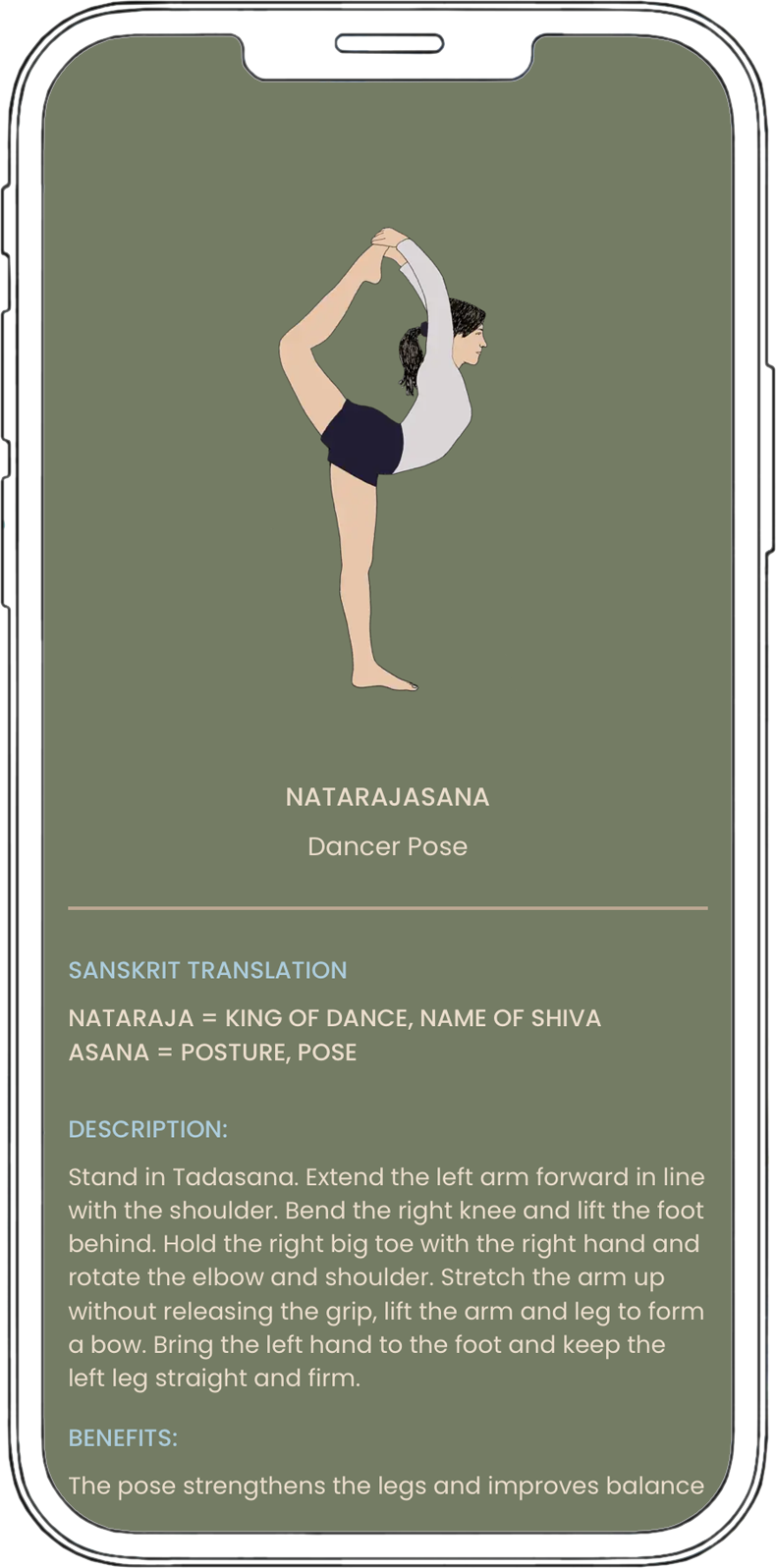
Sanskrit Breakdown · Description · Benefits
Asana View
Each asana is presented with its Sanskrit name and linguistic breakdown, a clear description with actions, alignment and step-by-step instructions and benefits. This supports learning and teaching. Hashtags help organize and find related poses.

Library · Search · Variations
Asana Library
The Asana Library gives access to over 1100 hand-drawn asana illustrations and variations and continues to expand. Using search, poses can be found quickly by name, category or structural focus. Each entry links variations clearly, making the library a reliable reference for study and teaching preparation.

Build Your Own Sequences
Create Sequences
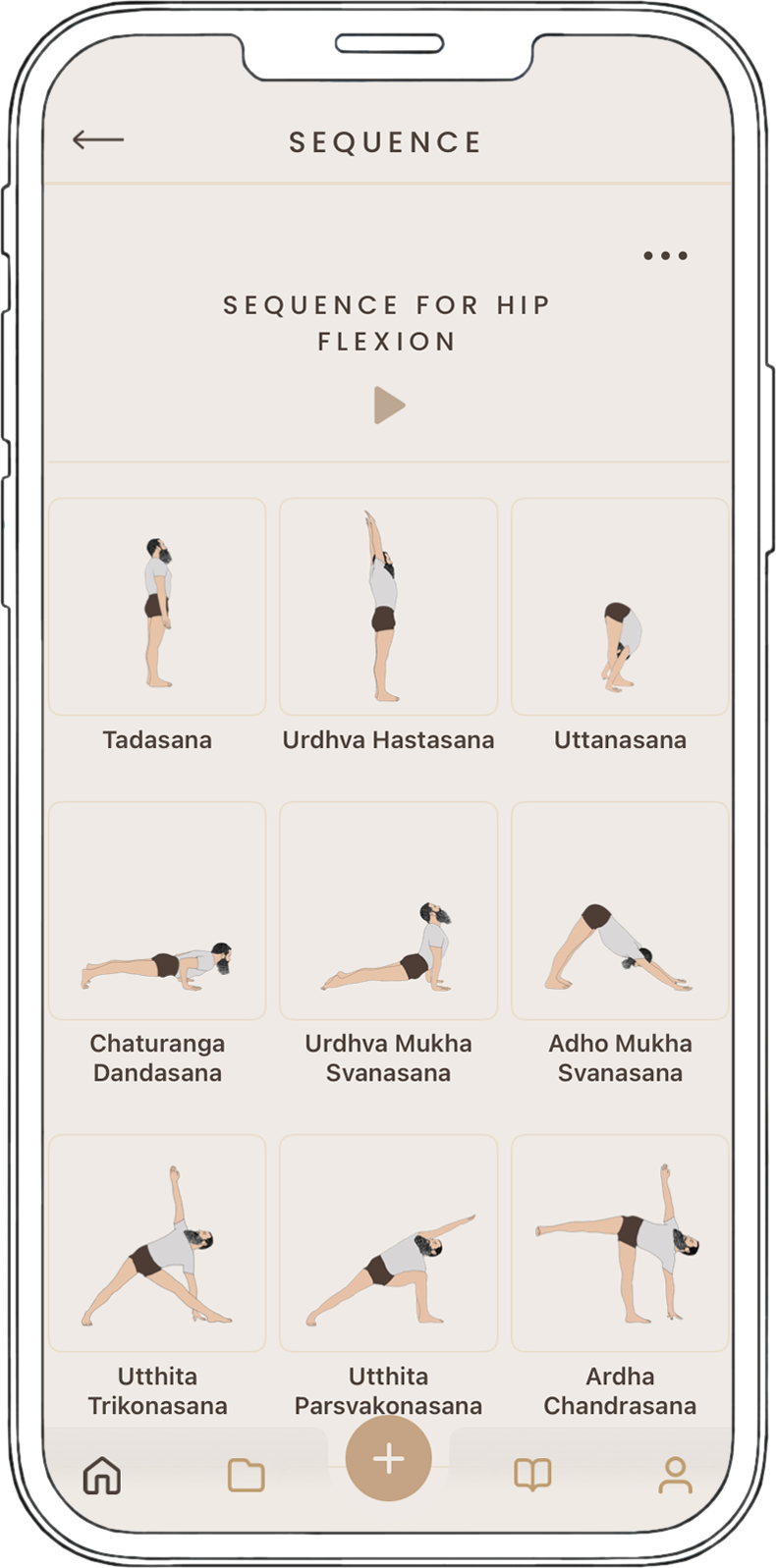
SVEJAR makes it easy to create your own yoga sequences. Asanas can be selected from the library and arranged freely, with options to mirror and duplicate poses, helping teachers and practitioners build sequences that support a specific theme, peak pose or area of focus. Sequences can be saved in folders, refined and revisited over time.

Monthly Focus
Asana of the Month
The Asana of the Month highlights one pose in depth. This monthly focus builds a deeper understanding of alignment, variations, key actions and practical options such as prop setups and accessible approaches. Practice notes provide timing guidance, sequencing context and key cautions, making it useful for personal study and class planning.

Pre-made Sequences
Sequence of the Week
Every week, SVEJAR offers a prepared sequence. These pre-built sequences provide ideas and inspiration, save time and guide a clear practice with structure, thoughtful sequencing and a changing focus for different levels, including therapeutic themes. Sequences are inspired by or contributed by experienced teachers worldwide who share their expertise.
Timed Practice
Practice Mode
In Practice Mode, self-built and pre-built sequences can be played as a guided practice. Each pose can be set to an individual duration, with shorter times for standing poses or longer holds for restorative practice. Optional sound cues signal transitions between asanas, supporting a focused, uninterrupted practice.

Community & Connection
Teachers Hub
Teachers Hub gives yoga teachers their own space within SVEJAR, where they can create a profile, share sequences privately with students or publicly with the community and build a growing library of practices. Students can follow teachers, leave comments and ask questions. Teachers can also link their website, classes and online offerings directly from their profile.

Join a Community of
3000+ Happy Users
Best Yoga App
Best app to memorize pose names and practice at home. Hashtags make it useful to find similar poses or asana families.
Excellent Iyengar Yoga App
Very well thought-out design and implementation with beautiful drawings. Ideal for creating your own home practice.
Fantastic!
Love this app! I also bought all the high-quality eBooks from their website! Helps me a lot with my teaching… Thanks!
Good to know
Questions & Answers
What makes SVEJAR different from other apps?
SVEJAR is not a follow-along video platform. It is a sequencing and practice tool, a library for knowledge and structure. It offers both guidance and independence with pre-built sequences and tools to build and reflect on your own sequences. SVEJAR is created by two women who are yoga teachers, one a developer, one an illustrator.
Is SVEJAR for both students and teachers?
Yes. SVEJAR helps you plan your own practice, recreate sequences from classes and revisit them anytime. It also works as a clear asana library with Sanskrit names, descriptions and basic instructions.
Is SVEJAR suitable for beginners?
Yes. SVEJAR includes foundational poses with variations and prop-supported options, step-by-step descriptions and pre-built sequences. Use search to find beginner-friendly options by name or category.
Can teachers use SVEJAR to share exercises?
Yes. Teachers can share sequences privately with their students so they can access them, practice them and revisit class or course material.
Can I create and share my own sequences?
Yes. Build sequences with drag and drop, add notes or icons and mirror poses. Share sequences, export PDFs and keep everything organised in folders.
Can I test SVEJAR for free?
Yes. We offer a 3-day free trial with full access to the library and all sequencing tools. Cancel within the trial period and you will not be charged.
Can I use it on multiple devices?
Yes. Your account syncs across your devices (iPhone, iPad, Android). Create a sequence on one device and use it later on another.
Ready for your practice?